

BrandiFly
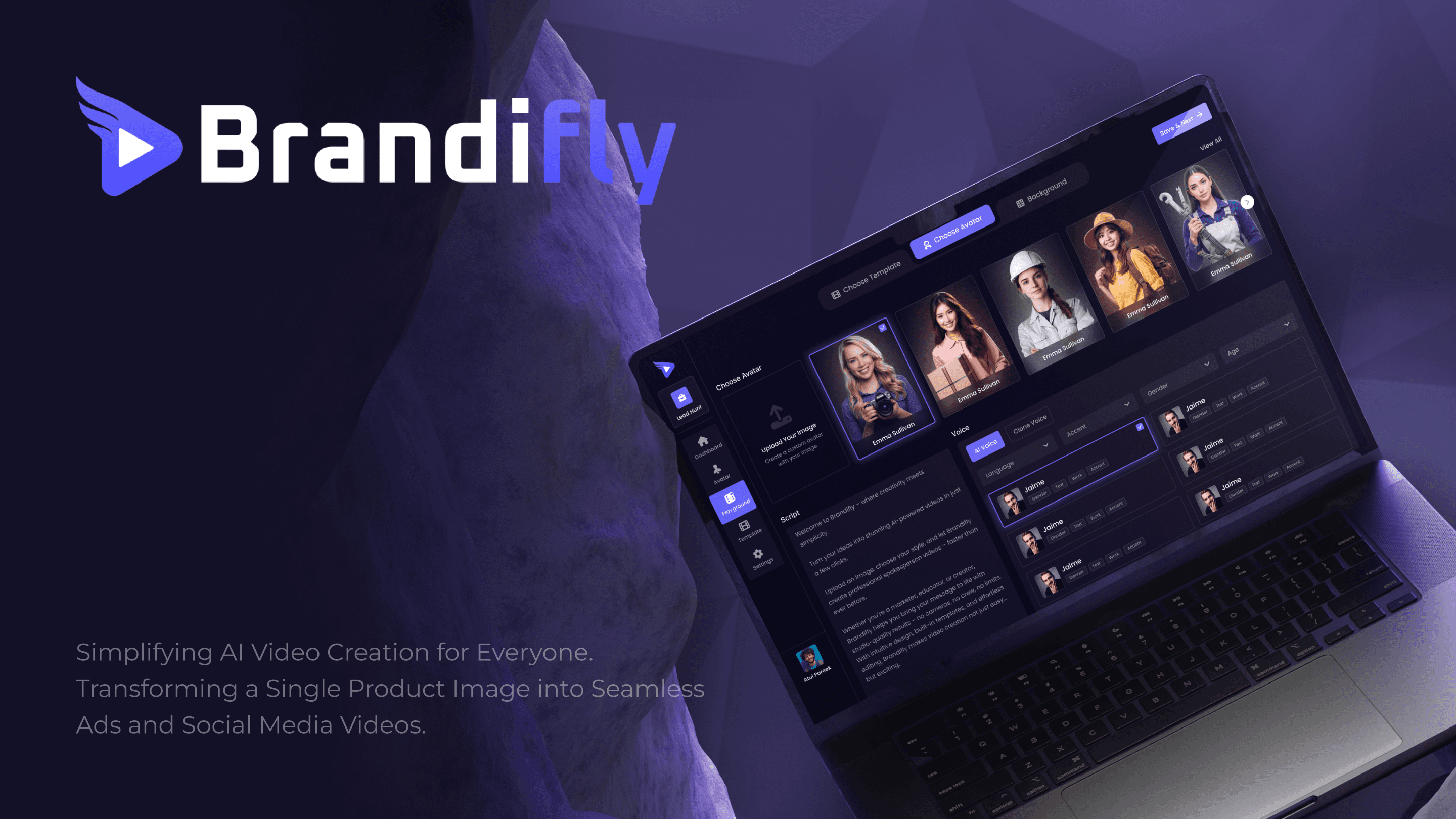
Simplifying AI Video Creation for Everyone. Transforming a Single Product Image into Seamless Ads and Social Media Videos.
Role
Lead UI/UX Designer
Category
Visual design
Project Overview
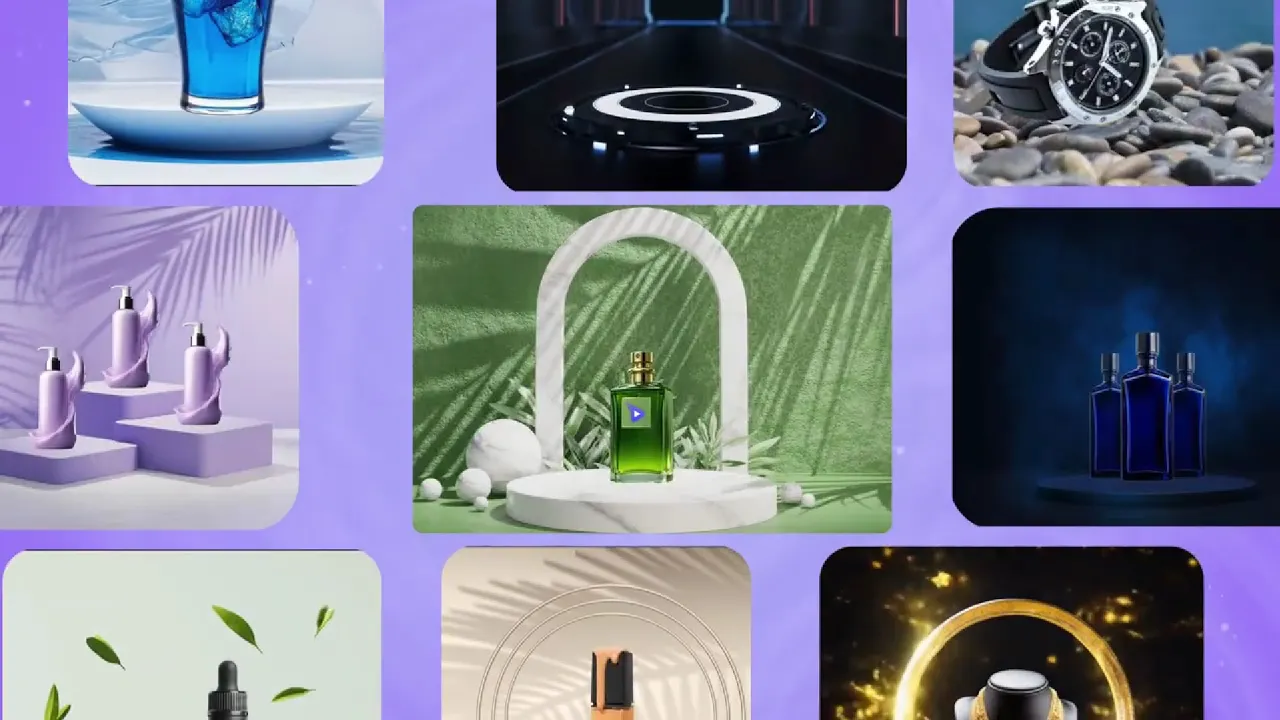
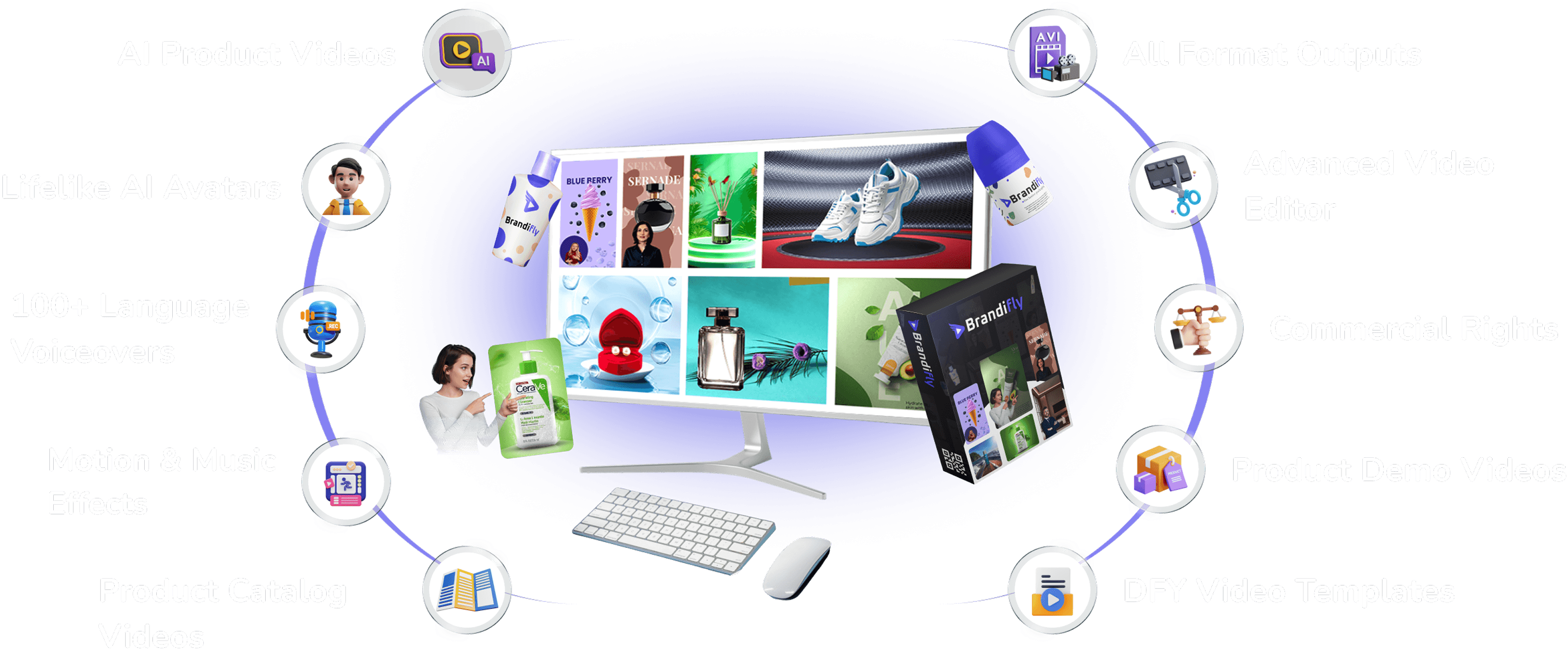
BrandiFly is an AI-powered SaaS platform that helps e-commerce sellers, marketers, and entrepreneurs transform static product images into professional marketing videos.
User journey
Login → Dashboard → Choose Style → Select Template → Choose Avatar → Add Script, Voice, Music, Background → Render Video.
The Core Challenge: Simplifying Complexity
Our users aren’t video editors, they’re business owners and marketers. The UI had to:
Prevent overwhelm from too many options.
Provide a logical, guided step-by-step journey.
Make abstract AI features (avatars, voice cloning) feel obvious.
Manage rendering waits with clarity and trust.
Design Philosophy
BrandiFly was designed to guide users like a creative assistant, keeping the process simple and stress-free.
Clear Start → Users always know the next step.
Consistency → Reusable cards and popups make it familiar everywhere.
Step by Step → Only show what’s needed, when it’s needed.
Key Design Decisions & UI Frames
1. Login & Dashboard
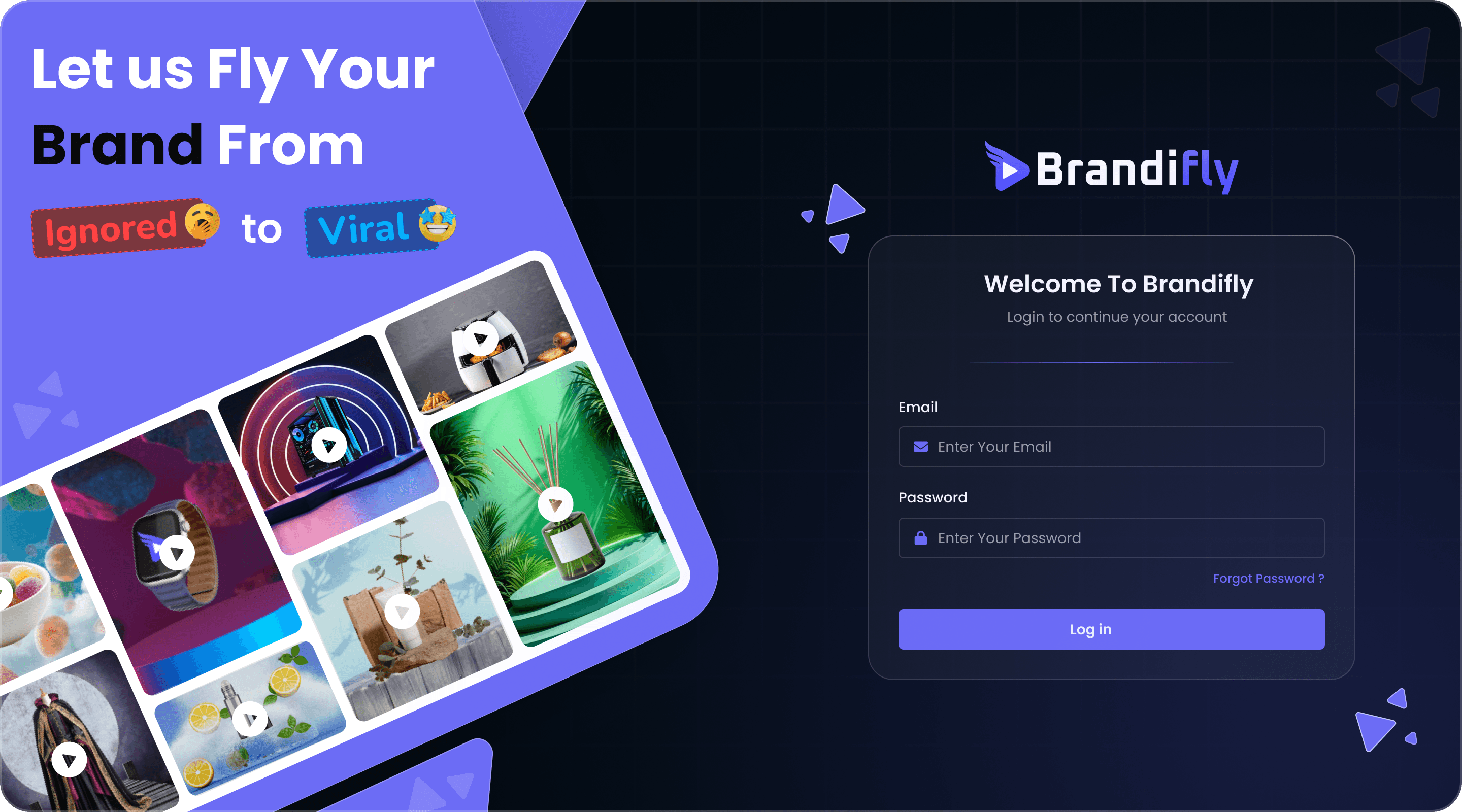
Login Screen
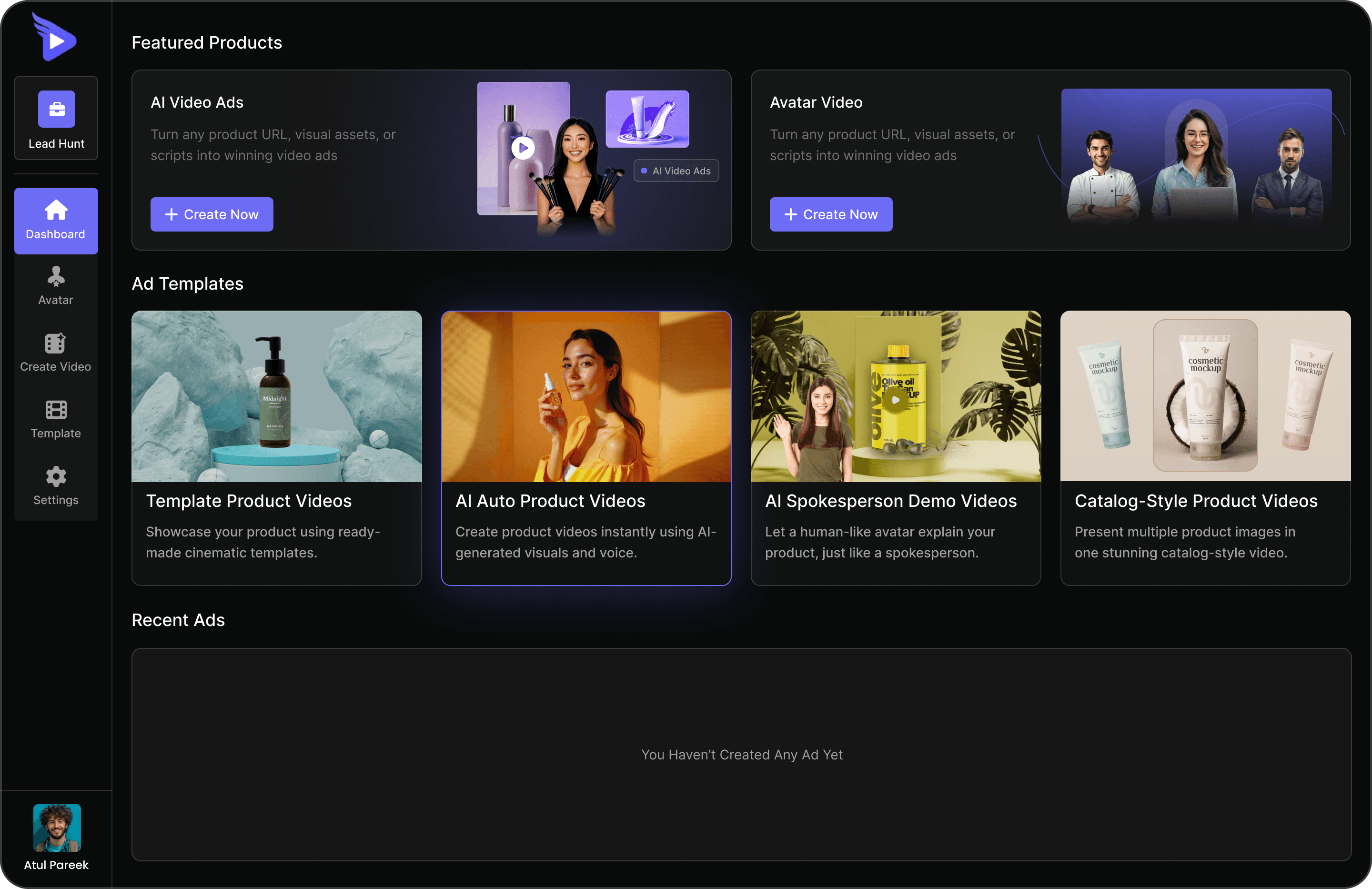
Dashboard
Featured creation paths as large cards + Recent Ads for continuity.
Impact: A welcoming entry point → no empty state, no confusion.
2. Choose Style (Video Creation Starts Here)
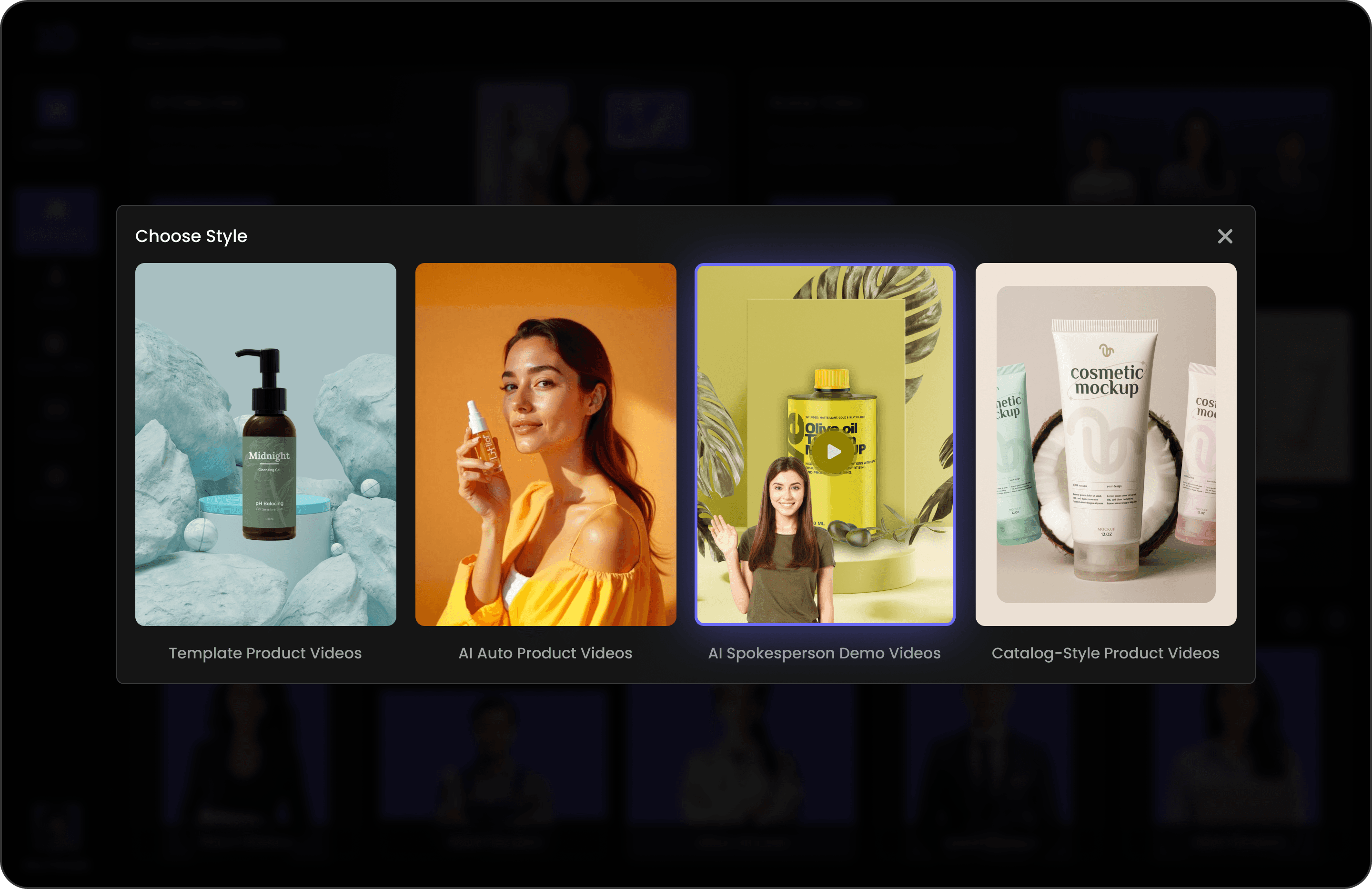
Style thumbnails visually communicate each style → no guesswork.
In this walkthrough, we’ll continue with the ‘AI Spokesperson Demo Videos’ option from the Style popup.
3. Template Selection
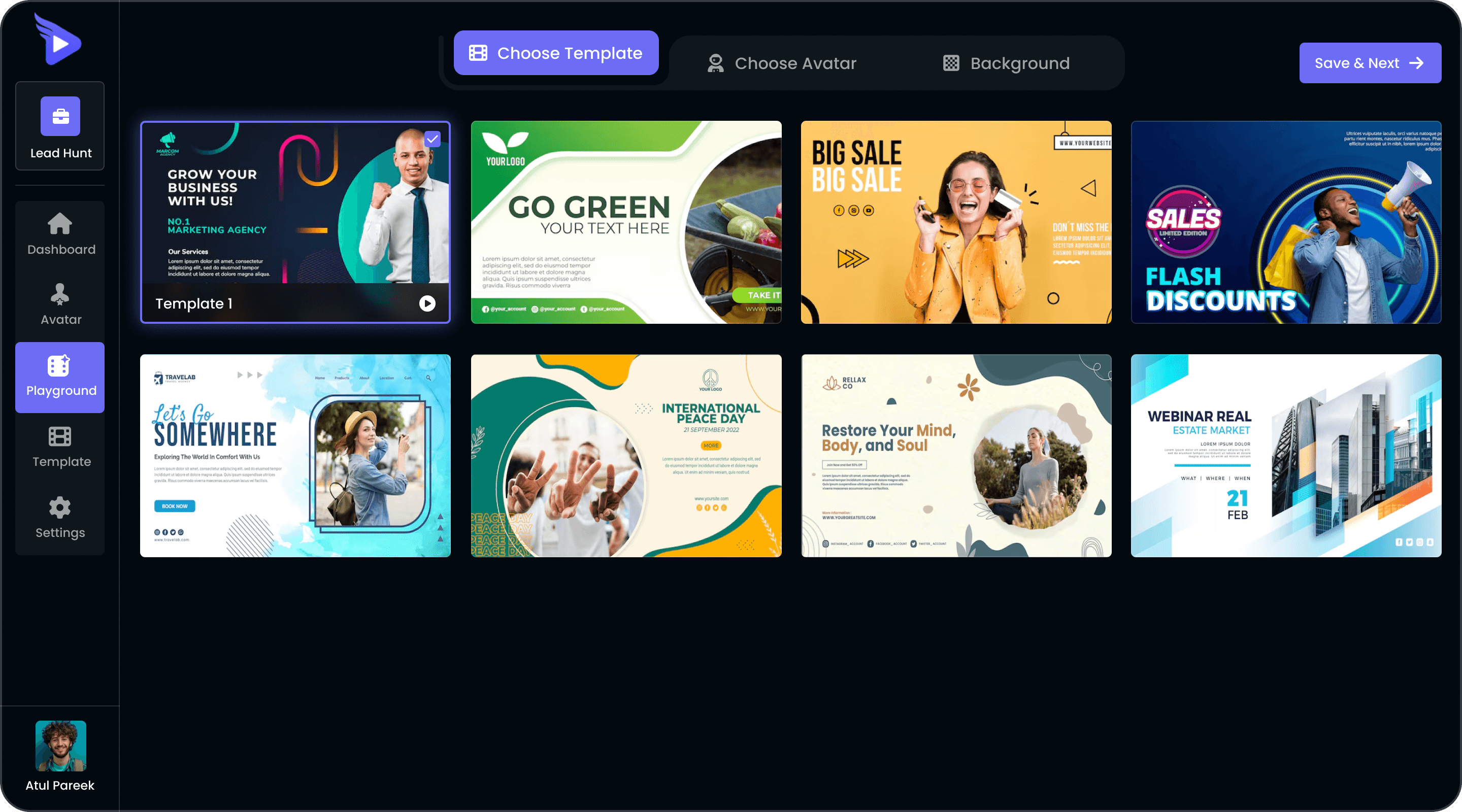
Grid of templates with live previews.
Clear highlight state shows active choice.
4. Avatar Selection & Creation Playground
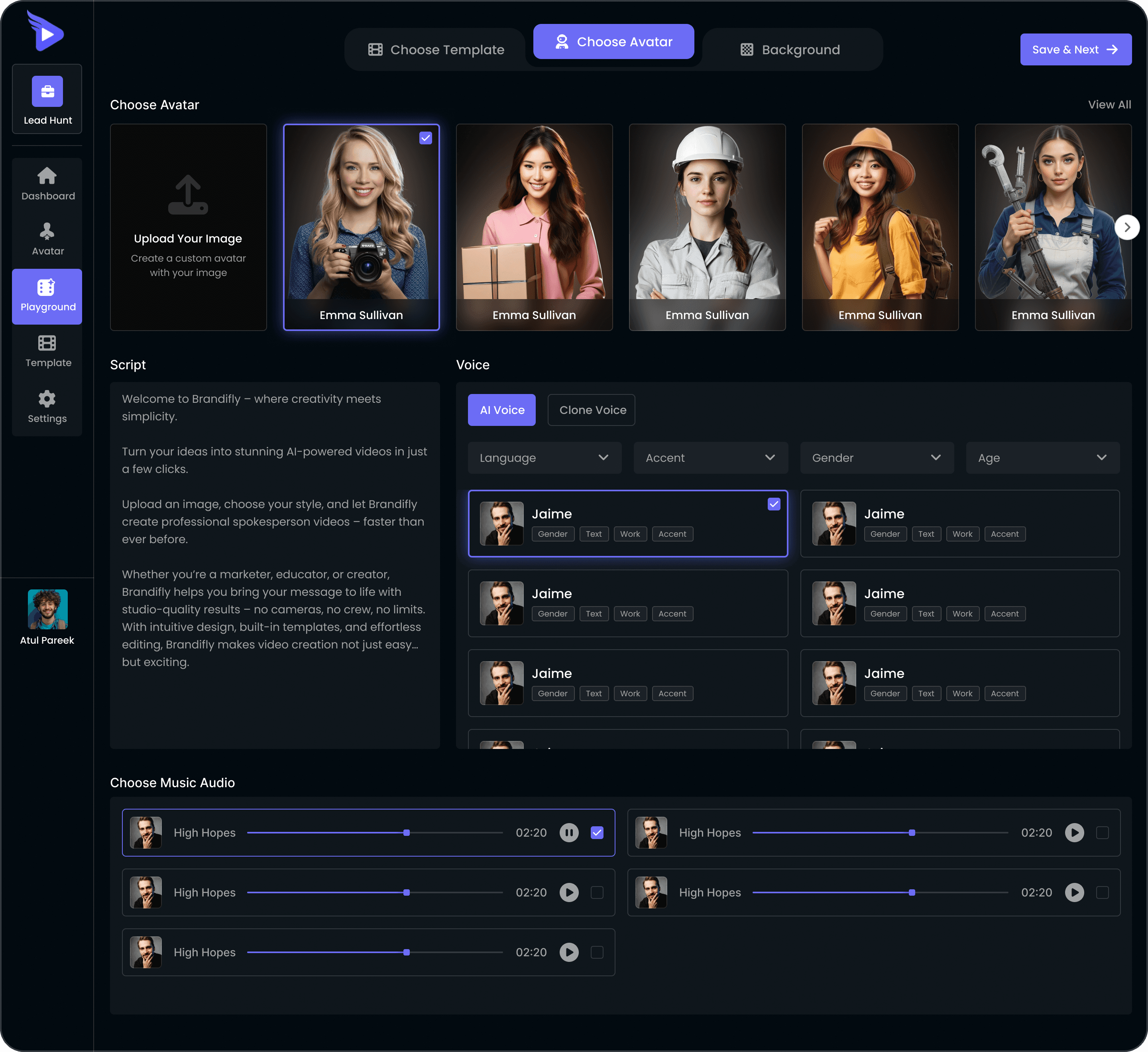
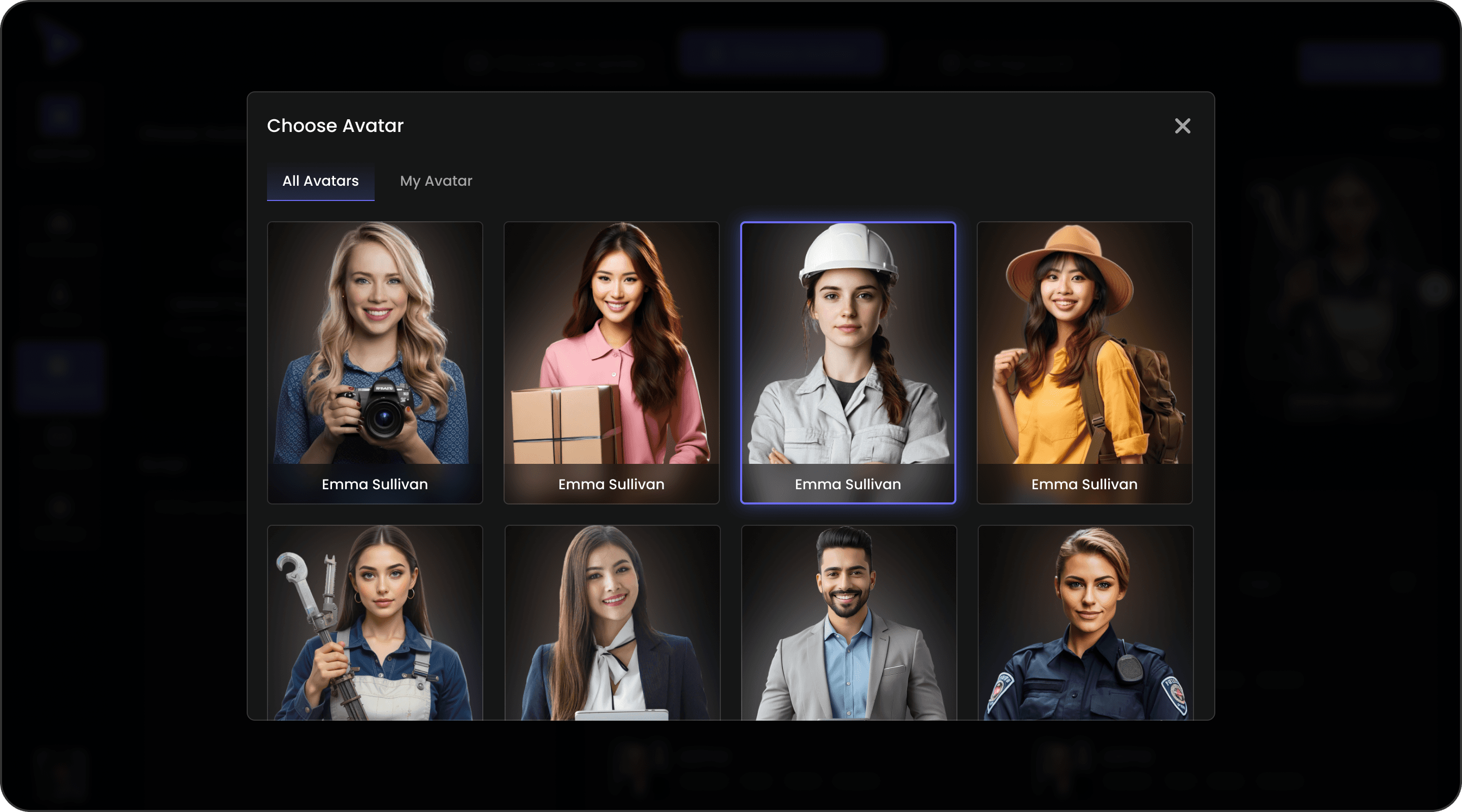
Users pick an avatar, The chosen avatar is clearly highlighted, making the experience feel personal and adaptable.
Instead of jumping across screens, users stay in one place with a clear stepper at the top. Inline sections for avatar, script, voice, and music keep the process smooth and reduce confusion.
Impact: Feels personal and easy to use, helping users create videos faster without confusion.
View All Avatar (Popup)
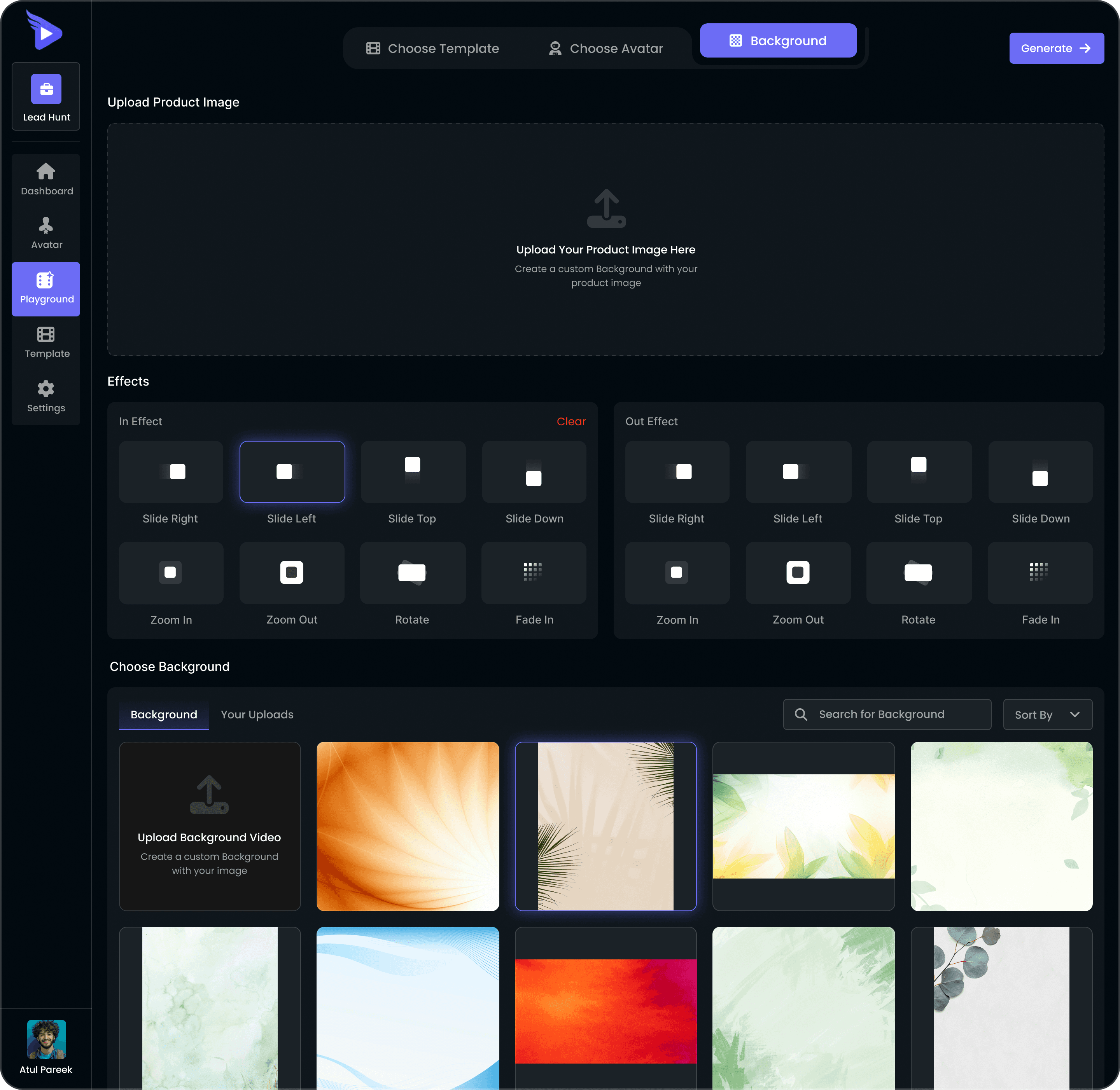
5. Backgrounds & Effects
Upload Box → First upload the product image.
Motion Effects → Simple one-click options like Slide, Zoom, and Fade. Effects are separated into In and Out for simple, story-like transitions.
Backgrounds → Pick from done-for-you professional backgrounds or upload your own.
Impact: Makes it easy to create polished, animated videos without editing skills.
6. Rendering & Feedback
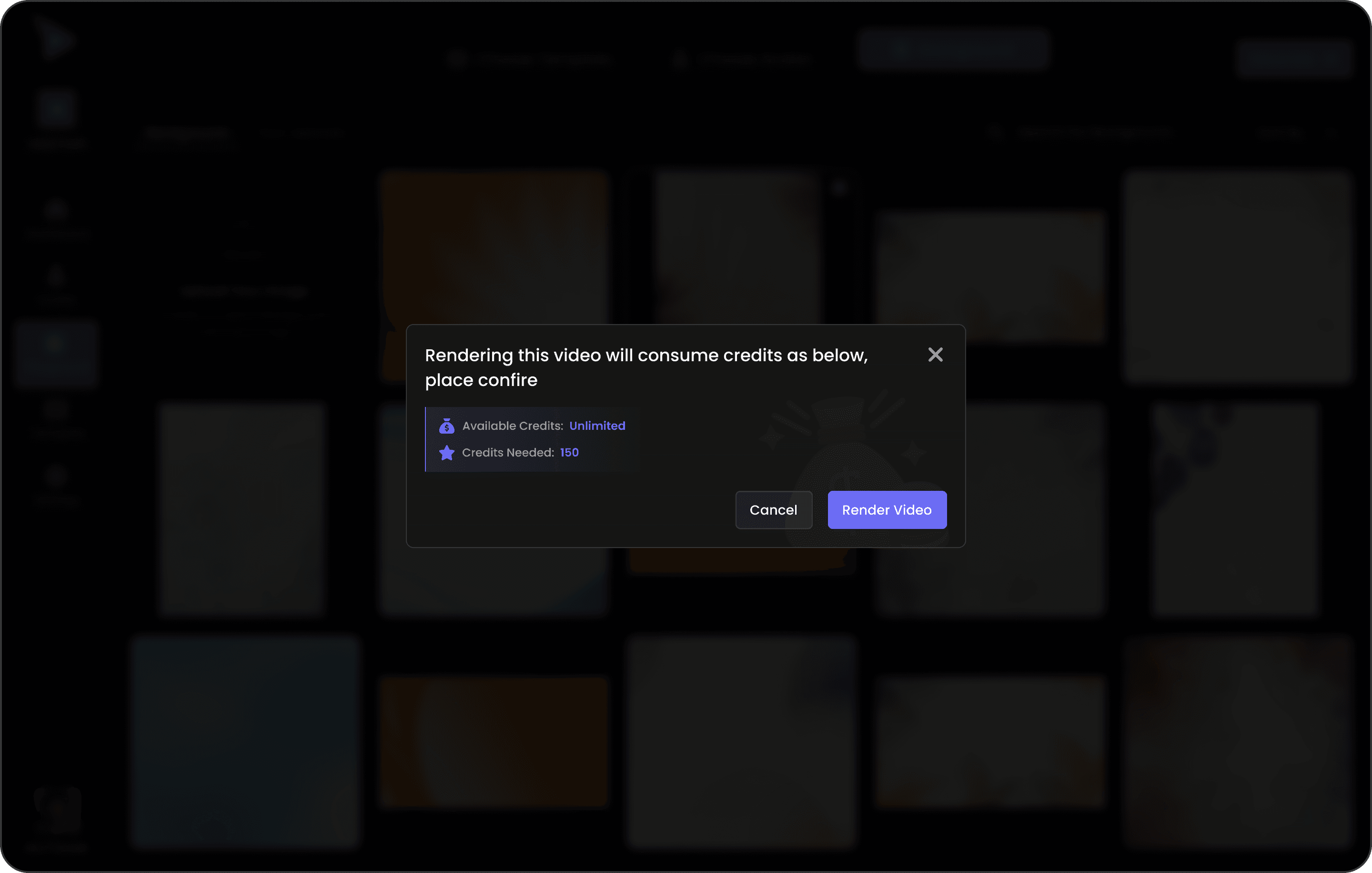
Confirmation Modal
Confirmation popup before rendering → shows credit usage (prevents accidental spend).
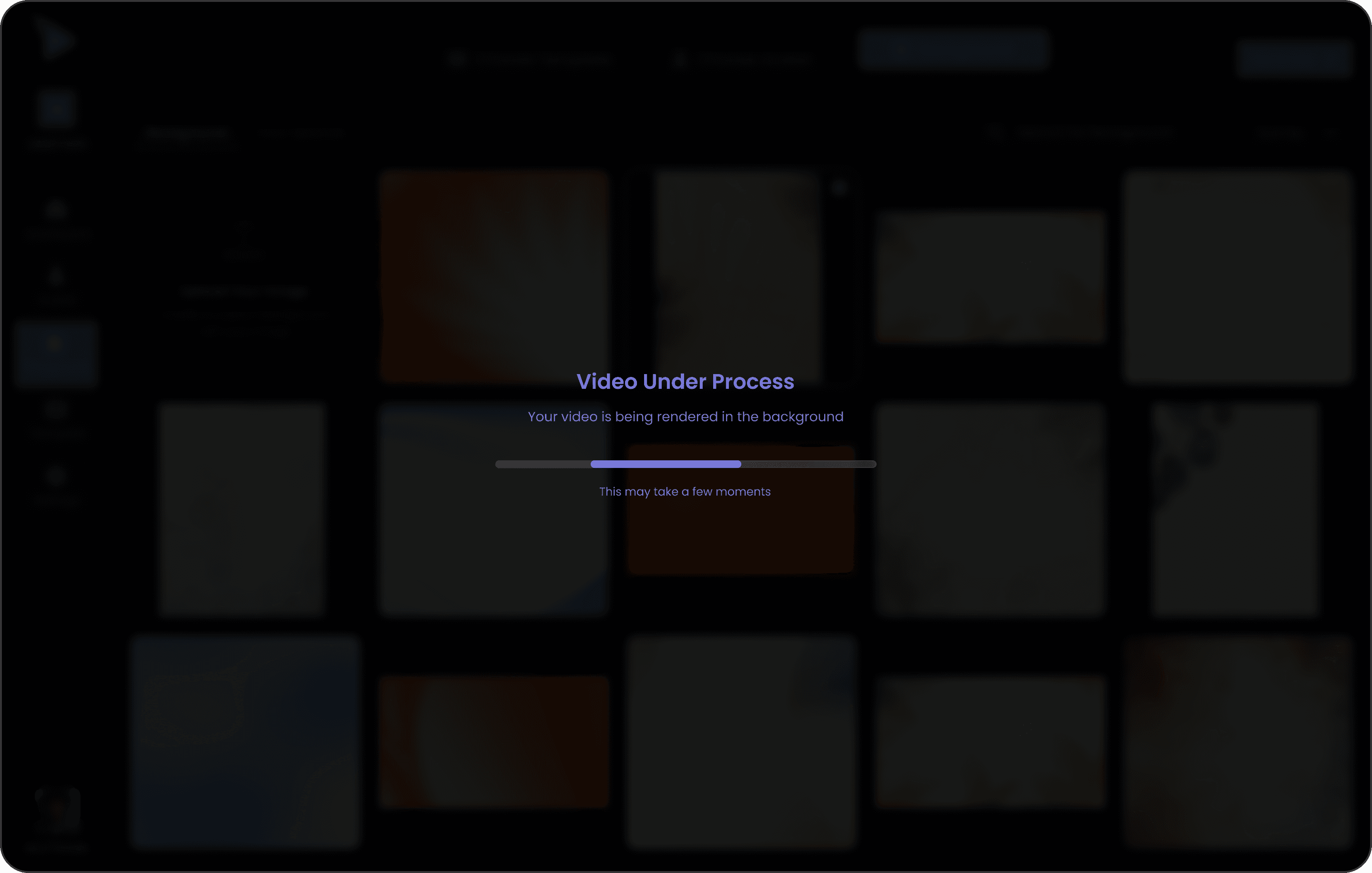
Progress Modal
Progress bar + human microcopy: “This may take a few moments.”
Impact: Transparent, trustworthy, and reduces anxiety while waiting.
See It in Action
Conclusion & Takeaways
BrandiFly turns the complexity of AI video creation into a simple, guided experience.
From the welcoming Login and Dashboard that set the tone, to the visual and intuitive flow of choosing Style, Template, and Avatar, every step feels clear and approachable.
The unified Playground and Effects bring all the creative tools together in one place. Powerful yet easy to use.
In the end, BrandiFly doesn’t just simplify the process, it gives users the confidence to create videos that look professional without needing professional skills.